

下記でCloud9上でSAMアプリケーションの開発ができるようになったので、このアプリケーションをCodeCoimmitのリポジトリに”git push”してみます。(CodeCommitで”CodeGuru Reviewer“を使うための準備です)

Cloud9でGitのローカルリポジトリを作成
SAMアプリケーションのディレクトに移動します。
$ cd /home/ec2-user/environment/sam-app/Gitのローカルリポジトリを作成します。
$ git init
Initialized empty Git repository in /home/ec2-user/environment/sam-app/.git/Code language: PHP (php)
コミットしたいファイル(すべて)を追加します。
$ git add --all .コミットします。
$ git commit -m "initial commit"
[master (root-commit) 5743d9f] initial commit
 Committer: EC2 Default User <ec2-user@ip-xxx-xxx-xxx-xxx.ap-northeast-1.compute.internal>
Your name and email address were configured automatically based
on your username and hostname. Please check that they are accurate.
You can suppress this message by setting them explicitly:

    git config --global user.name "Your Name"
    git config --global user.email you@example.com

After doing this, you may fix the identity used for this commit with:

    git commit --amend --reset-author

 10 files changed, 569 insertions(+)
 create mode 100644 HelloWorldFunction/build.gradle
 create mode 100644 HelloWorldFunction/gradle/wrapper/gradle-wrapper.jar
 create mode 100644 HelloWorldFunction/gradle/wrapper/gradle-wrapper.properties
 create mode 100755 HelloWorldFunction/gradlew
 create mode 100644 HelloWorldFunction/gradlew.bat
 create mode 100644 HelloWorldFunction/src/main/java/helloworld/App.java
 create mode 100644 HelloWorldFunction/src/test/java/helloworld/AppTest.java
 create mode 100644 README.md
 create mode 100644 events/event.json
 create mode 100644 template.yamlCode language: JavaScript (javascript)
CodeCommitでGitのリモートリポジトリを作成
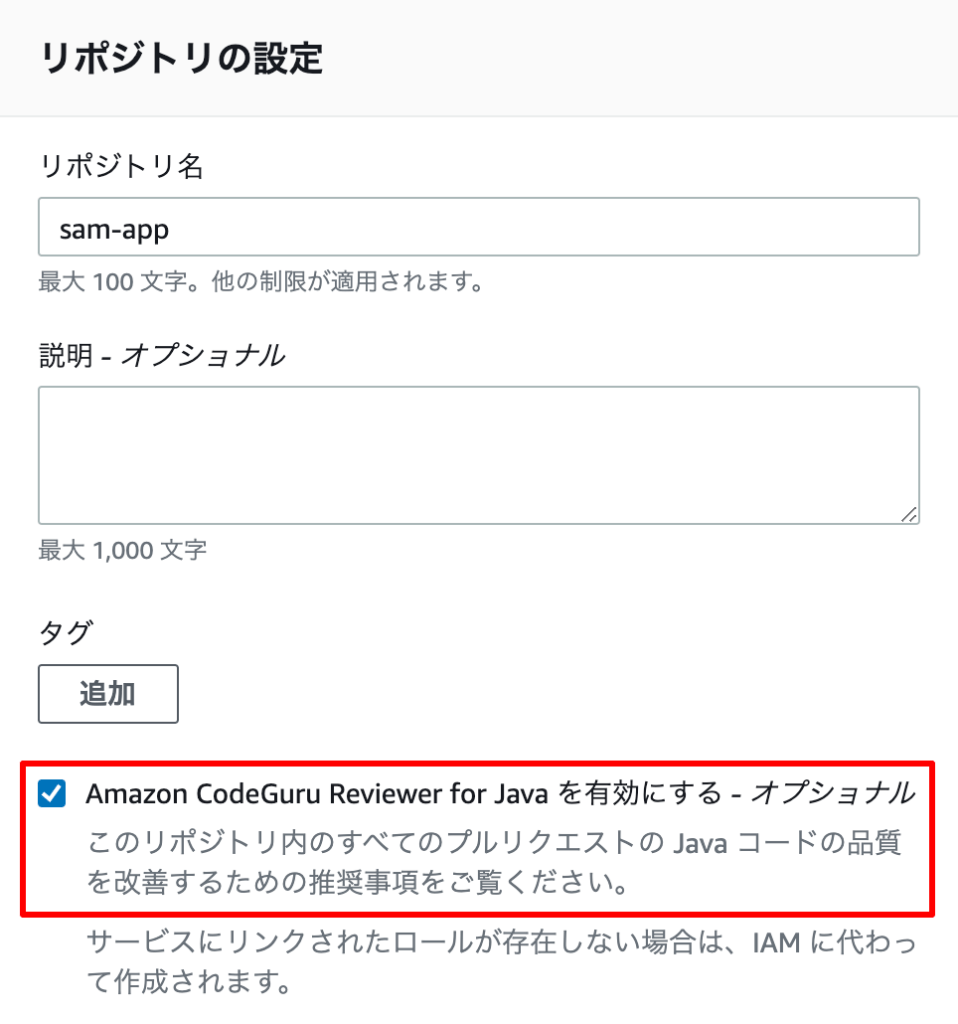
リポジトリを作成します。ここで”CodeGuru Reviewer”を有効にするためのチェックを入れておきます。
“git push”するために、リポジトリのURLを取得します。今回は、AWSコンソールへのアクセスはOneLoginでのフェデレーションアクセスにしているので、HTTPS(GRC)を利用することにしました。

HTTP(GRC)とは下記の通りです。
HTTPS(GRC) は、git-remote-codecommit (GRC) で使用するプロトコルです。このユーティリティは Git を拡張することで、コードを CodeCommit リポジトリに対しプッシュおよびプルするための簡単な方法を提供します。これは、フェデレーティッドアクセス、ID プロバイダー、および一時的な認証情報を使用した接続をサポートする際に推奨されるプロトコルです。
下記のAWSコンソール(CodeCommit)の記述より

Cloud9に”git-remote-codecommit”がインストールされていることも確認できています。
$ which git-remote-codecommit
/usr/local/bin/git-remote-codecommit
改めて、HTTPS(GRC)のURL(codecommit::ap-northeast-1://sam-app)を取得します。

Push
上記のCodeCommitのリポジトリをリモートリポジトリとして追加します。
$ git remote add origin codecommit::ap-northeast-1://sam-appCode language: PHP (php)“git push”します。
$ git push -u origin master
Enumerating objects: 23, done.
Counting objects: 100% (23/23), done.
Compressing objects: 100% (15/15), done.
Writing objects: 100% (23/23), 58.01 KiB | 4.46 MiB/s, done.
Total 23 (delta 0), reused 0 (delta 0)
To codecommit::ap-northeast-1://sam-app
 * [new branch]      master -> master
Branch 'master' set up to track remote branch 'master' from 'origin'.Code language: PHP (php)
CodeCommitのリポジトリに反映されました。

最後に
ようやくCloud9で”CodeGuru Reviewer”の自動レビューを受けながら開発できる環境ができました。自動レビューの結果が楽しみです!

